


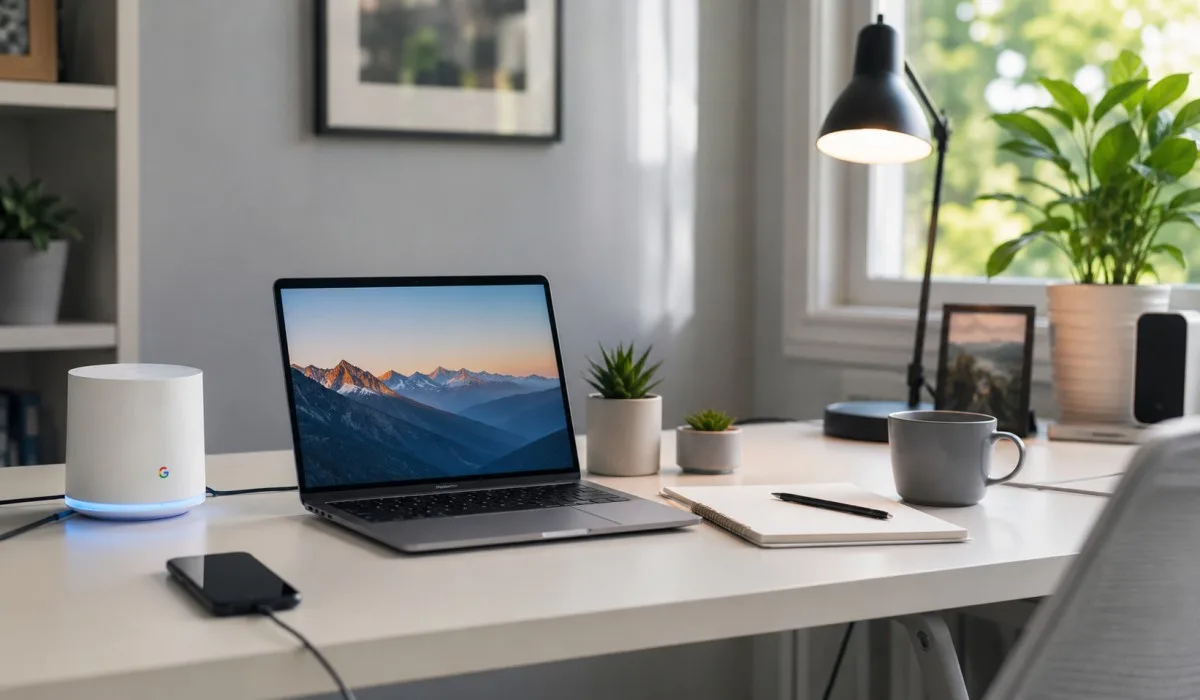
Benefits of Using Google Fiber Internet for Faster Wi-Fi
Slow internet is frustrating. Buffering videos. Dropped calls. Laggy games. You deserve better. That is where the benefits of using Google Fiber internet become clear. This service gives you lightning-fast speeds. You get symmetrical uploads and downloads. You never hit a data cap. You never face hidden fees.
The price you sign up for is the price you keep. Google Fiber includes top-tier equipment at no extra cost. Mesh extenders cover every room in your home. Professional installation comes free. It is reliable. It is simple. It changes how you use the internet. Here is what makes Google Fiber stand out from the rest.
Why People Choose Google Fiber Over Other ISPs?
Many internet providers offer fast downloads but slow uploads. They limit your data. They raise prices after a year. They lock you into contracts. Google Fiber does none of these things. You get equal upload and download speeds. You get unlimited data. You pay the same price every month.
You can cancel anytime without a penalty. The equipment is included at no extra cost. The connection is more reliable because it uses fiber-optic technology. That is why Google Fiber consistently ranks as one of the best internet providers in the country.
Read More: Is Google Fiber Worth It for Gaming? A Plain Answer for Gamers
Fast and Symmetrical Speeds
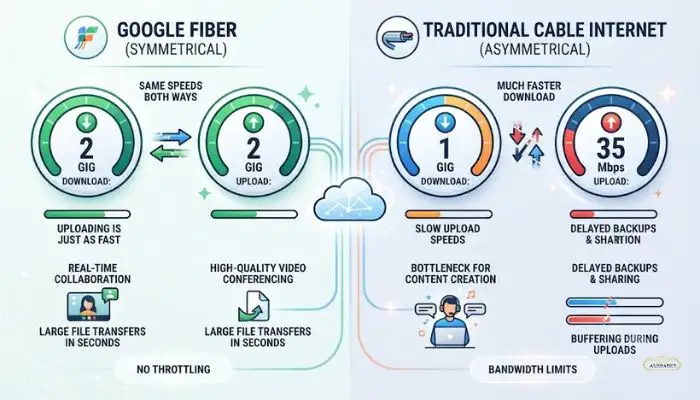
Google Fiber offers different speed plans to fit your needs. The Core 1 Gig plan gives you 1,000 Mbps for both upload and download. It costs $70 a month . This price has not changed since 2012 . The Home 3 Gig plan gives you 3,000 Mbps for $100 a month. The Edge 8 Gig plan gives you 8,000 Mbps for $150 a month .
These speeds let you do many things at once. You can stream 4K video, play games, and have video calls without slowdowns. The symmetrical speeds are a big advantage. Most cable internet gives you fast downloads but slow uploads. Google Fiber gives you fast uploads too. This is great for people who work from home or share large files.
No Data Caps or Hidden Fees
Many internet providers limit how much data you can use. They charge extra if you go over your limit. Google Fiber does not do this. There are no data caps, no overage charges, and no speed throttling . You can stream, game, and download as much as you want. The pricing is simple and clear.
There are no promotional prices that go up after a year. Your rate stays the same . There are no equipment rental fees. The router and mesh extenders are included in the price . There are also no early termination fees. You can cancel at any time without paying a penalty .
Included Equipment and Whole-Home Coverage
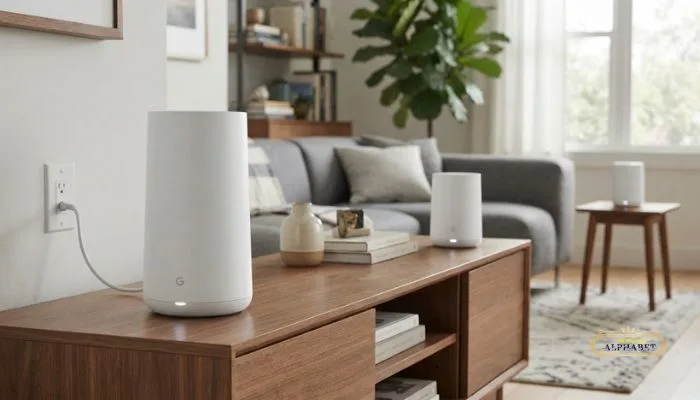
Google Fiber gives you high-quality equipment at no extra cost. The Core 1 Gig plan includes a Wi-Fi 6E router and up to one mesh extender . The Home 3 Gig and Edge 8 Gig plans include a Wi-Fi 7 router and up to two mesh extenders . Wi-Fi 7 is the latest wireless standard.
It gives you faster speeds and lower delay. It can reach over 3 Gbps over wireless . The mesh extenders help cover your whole home. They capture the Wi-Fi signal from your router and share it in hard-to-reach spots . This helps eliminate dead zones. The system can provide up to 5,000 square feet of coverage .
How to Improve Google Fiber Wi-Fi?
You can take some steps to improve your Google Fiber Wi-Fi.
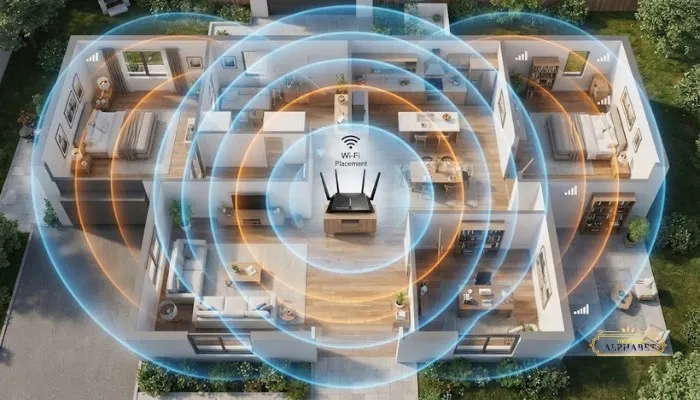
- First, put your router in a central location. Keep it off the floor and out of closets . This helps the signal reach more areas of your home.
- Second, keep the router away from walls and obstructions. Hard materials like concrete and metal can block the signal .
- Third, use a mesh extender if you have weak spots. Place the mesh extender halfway between your router and the area with poor coverage .
- Fourth, update your devices. Newer devices with Wi-Fi 6 or Wi-Fi 7 can get faster speeds .
- Fifth, connect your important devices with an Ethernet cable. This gives you the fastest and most stable connection .
Google Fiber Speed Test
You can run a speed test to check your internet performance. You can run a speed test from any device on your network. For the best results, use a wired connection . Most web browsers max out at about 3 Gbps. If you are on the 5 Gig or 8 Gig plan, a browser-based test may not show your full speed . You can use the Google Fiber app to run a speed test. The app shows you the speed to your home and the speed to your device .
This helps you see how your Wi-Fi network is performing. You can also use the Ookla Speedtest desktop app for more accurate results on multi-gig plans .
Google Fiber Mesh Extender
A Google Fiber mesh extender helps improve your Wi-Fi coverage. It connects to your router wirelessly. It extends the signal to areas of your home that have weak coverage . The mesh extender creates additional access points. This helps eliminate dead zones. It is especially helpful if you have thick walls, multiple floors, or a large home . The mesh extender uses tri-band Wi-Fi 6E.
It automatically selects the best signal for your devices . For optimal performance, you can connect the extender to the router with an Ethernet cable . The Google Fiber app can help you find the best spot for your mesh extender. The app has a Network Health feature that tests the signal strength .
You May Also Read: Google Fiber Availability Near Me Cities and Coverage Guide 2026
Google Fiber Jack
The Google Fiber Jack is a small device mounted inside your home. It converts the fiber-optic signal from the network into a connection your router can understand . The Fiber Jack is about the size of a deck of cards . It is usually mounted on an interior wall near an electrical outlet .
The Fiber Jack is owned and maintained by Google Fiber. There is no separate purchase required . During professional installation, a technician will install the Fiber Jack and set up your equipment. The technician will also test your connection to make sure it meets performance standards .
Reliability and Security
Google Fiber offers a reliable internet connection. The fiber-optic network uses light to transmit data. This results in more direct performance and better latency than the industry average . The Edge 8 Gig plan comes with a 99.9% Uptime Guarantee. If the uptime is not met, you receive a credit of 25% of your monthly charge . The Edge 8 Gig plan also includes battery backup.
This provides up to 2 hours of power during a blackout . Google Fiber also focuses on security. The routers support WPA3 encryption and receive automatic firmware updates . You can also create a separate guest network to protect your main network .
Which Plan Is Right for You?
Google Fiber has three main plans. The Core 1 Gig is good for individuals, couples, or smaller households. It gives you fast and reliable internet at a fair price . The Home 3 Gig is good for modern homes with many devices. It supports 4K streaming, gaming, and frequent video calls .
The Edge 8 Gig is good for power users. It is designed for creative professionals, remote workers, and pro gamers . It gives you the fastest speeds, battery backup, and an uptime guarantee . All plans include free installation, free equipment, unlimited data, and no contracts .
FAQs
1. Does Google Fiber have data caps?
No. There are no data caps, overage charges, or speed throttling .
2. How much does Google Fiber cost?
The Core 1 Gig costs $70 a month. The Home 3 Gig costs $100 a month. The Edge 8 Gig costs $150 a month .
3. Do I have to sign a contract?
No. You can cancel at any time without paying an early termination fee .
4. Is the equipment included?
Yes. The router and mesh extenders are included at no extra cost .
5. How fast is Google Fiber?
Speeds range from 1,000 Mbps to 8,000 Mbps depending on your plan .
6. What is the Fiber Jack?
The Fiber Jack is a small device that converts the fiber signal into a connection your router can use .
7. How do I improve my Wi-Fi speed?
Place your router in a central location, away from walls and obstructions. Use mesh extenders for weak areas . Connect important devices with Ethernet cables .
8. What is a mesh extender?
A mesh extender boosts your Wi-Fi signal and extends coverage to hard-to-reach spots in your home .
9. Is Wi-Fi 7 included?
Yes, Wi-Fi 7 is included with the Home 3 Gig and Edge 8 Gig plans .
10. How do I run a speed test?
You can run a speed test using the Google Fiber app or the Ookla Speedtest desktop app . For the best results, use a wired connection .